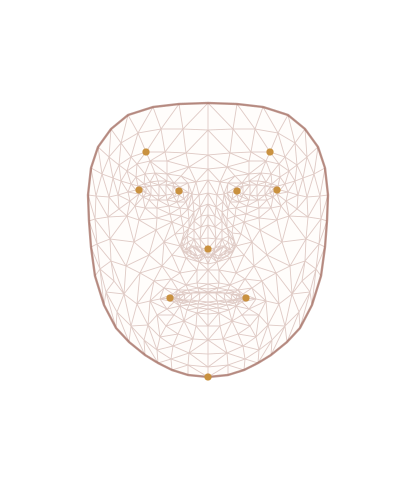
Region-by-region analysis
T-zone, cheeks and chin are read separately, each with its own assessment — not one score for the whole face.
SKINLENS · AI SKIN REFERENCE ASSISTANT
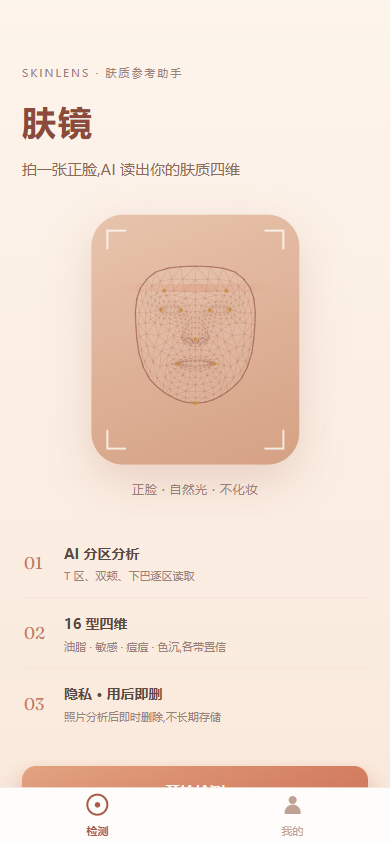
A vision LLM analyzes your T-zone, cheeks and chin region by region, mapping you to one of 16 skin types with a four-dimension spectrum report and care suggestions.
Results are AI-generated, for skincare reference only — not medical advice.
Features
From per-region reads to a four-dimension profile, every step comes with evidence and a confidence level.
T-zone, cheeks and chin are read separately, each with its own assessment — not one score for the whole face.
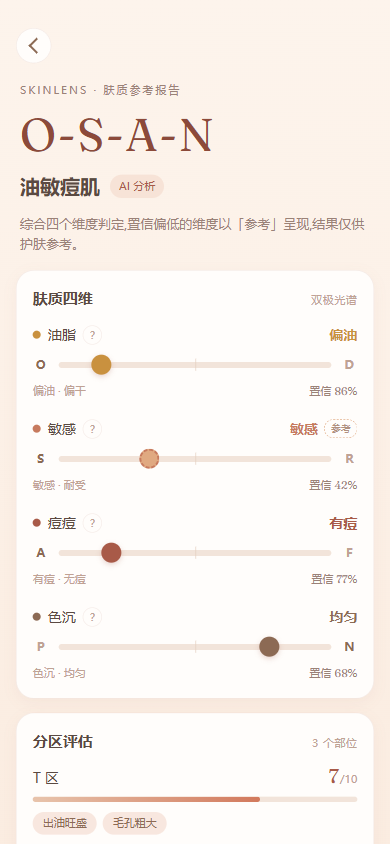
Four bipolar spectrums — oil, sensitivity, acne, pigmentation — each with a confidence level; low-confidence results are clearly marked as tentative.
Daily care tips derived from a 16-type skin handbook, always phrased as reference and suggestions — no efficacy claims.
Photos are deleted immediately after analysis and never stored long-term; your history lives only on your device.
How it works
Natural light, no makeup, full face visible. The Android app offers an in-page live viewfinder.
Input is quality-checked first: non-face photos, screen re-shots and distant shots are rejected with retake guidance — no misleading reports.
Spectrum report + per-region assessment + care suggestions. Save locally and revisit anytime from the “Me” tab.
Guides
Five guides covering photo prep, how the analysis works, confidence levels, privacy and skincare choices. Currently available in Chinese.
Bare skin, natural light, distance and sharpness — plus a table of common failure cases.
How oil, sensitivity, acne and pigmentation combine into 16 skin types, with a Baumann comparison.
Quality gate, region-by-region reads, four-dimension calls — what it can and cannot see.
Why low confidence is marked tentative, and the delete-after-analysis privacy boundary.
Cleansing, sunscreen and moisturizer by dimension — ingredient and category level only, zero brands.
Download
The web version needs no install; the Android app adds a live viewfinder.
Open in your mobile browser — no install, full functionality.
Try nowIn-page live viewfinder capture. Signed with a test certificate — allow “unknown sources” when installing.
DownloadNative build sharing the H5 codebase, with width-capped tablet layout. Signed with a test certificate — allow “unknown sources” when installing.
DownloadTech
Also a cross-platform engineering sample: uniapp and Flutter frontends replicate the same API and visual language, with single sources of truth for both the data contract and design tokens.
The report structure is defined once in JSON Schema; scripts generate TypeScript and Dart types, and LLM output is validated against the same schema.
One DTCG design-tokens.json generates SCSS variables and Dart constants — zero visual drift between stacks.
One Hono app ships to two clouds via a platform adapter: mainland traffic hits Hangzhou FC directly (analysis ~35s → ~5s), the mini program stays on Cloudflare Workers; the API ships per-IP rate limiting and a CORS allowlist.
Input quality gating runs inside the same vision call: non-face / re-shot / too-far photos get a 422 with retake guidance and are never persisted.
Images are deleted after use with an R2 lifecycle rule as backstop; history is written only to local device storage.
The Flutter build adds an in-page live viewfinder (camera plugin) with full fallback to the system camera; the uniapp build wins on one-codebase-many-targets.
Compliance & privacy
Results are AI-generated and for skincare reference only. They do not constitute medical advice — please see a doctor for serious skin conditions.
Uploaded photos are used only for the current analysis and deleted as soon as it completes; your history is stored only on your device — no personal profile is kept server-side.